MSMedicSort
Launch MedicSort
For peopleFor hospitalsHow it worksInside the appContactLaunch MedicSort
Health guidance for everyone

AI for people who want to know what to do next.

MedicSort combines understandable health guidance, Angella AI and access to further care options. It helps people take the next step and can help hospitals make the first patient contact clearer.

Privacy firstSensitive information should be handled with respect and clear rules.
A clear next stepThe output is designed to support orientation, not replace a doctor.
For people and healthcareOne clear environment for patients and an option to cooperate with hospitals.
ANGELLA AI · LIVE EXAMPLE
“I have a fever, cough and my breathing has become worse in the last few hours. What should I do?”
01Understand the described symptoms
02Look for important warning signs
03Assess urgency
04Formulate a safe next step
Worsening breathing can be a warning sign. With severe shortness of breath, chest pain, blue discoloration or rapid deterioration, seek urgent medical help.

Illustration of the principle. MedicSort does not replace examination or a medical diagnosis.
ONE PLATFORM · TWO VIEWS

From the first symptom to an appropriate place of care.

The same situation looks different to a person at home and to a hospital. MedicSort places both views side by side and keeps them understandable.

01

For people

When you do not know whether to wait, book an appointment or act faster.

  • Describe symptoms in your own words.
  • Get a clear next step and warnings about risk signs.
  • Continue to articles, Angella and other MedicSort sections.
  • For serious symptoms the system highlights the need for urgent help.
Try it for yourself →
02

For hospitals

For a clearer digital first contact and better patient orientation before arrival.

  • Structured handover of patient information.
  • Preliminary urgency orientation without claiming a diagnosis.
  • Clear instructions for the patient before further care.
  • Deployment can be adapted to a specific hospital workflow.
Discuss deployment →
HOW MEDICSORT WORKS

From a question to a safer decision about the next step.

No opaque magic. The user sees a simple process and receives an output they can understand.

01

Describe the situation

Write symptoms and circumstances in ordinary language.

02

Add important details

MedicSort may ask for details that change urgency.

03

Get orientation

The output summarizes risk signs and an appropriate type of next step.

04

Continue to care

Depending on the situation, continue to professional help or further information.

ANGELLA AI

An answer designed to stay readable even when you are stressed.

Angella is designed as a health guide inside MedicSort. It explains, highlights important context and helps formulate the next step without pretending AI has certainty it does not have.

clear · no diagnostic promise · risk-focused
What is most important about my situation?

Safety first

If there is severe shortness of breath, unconsciousness, new one-sided weakness, severe chest pain or other sudden serious deterioration, do not wait for an online answer and seek urgent help.

INSIDE MEDICSORT

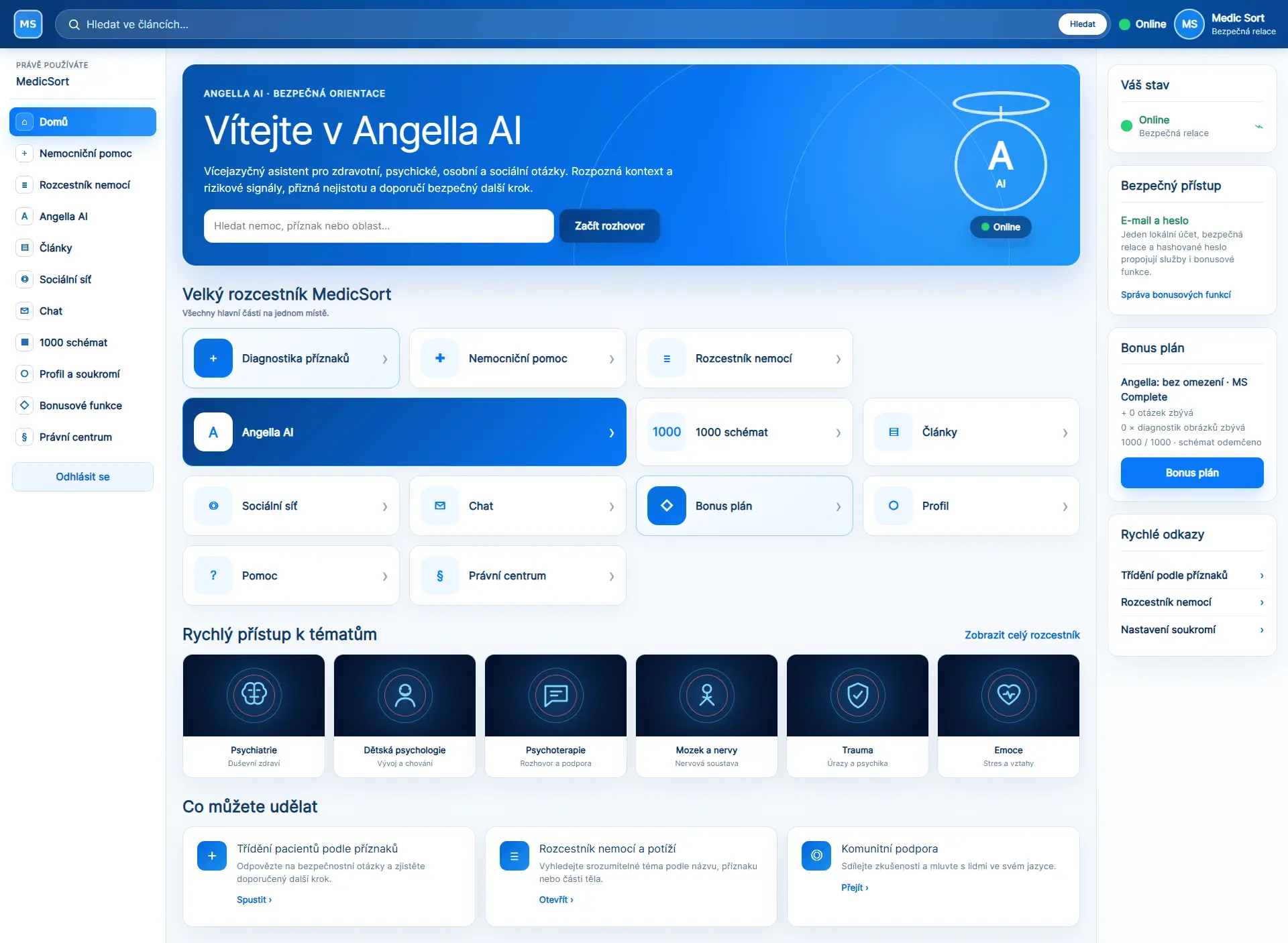
A simple interface. Important things in view.

A real preview of the application where MedicSort sections are available from one place.

MedicSort – náhled rozhraní aplikace
MedicSort · app.php
DESIGNED FOR TRUST

Health technology must above all be understandable.

01

Clear boundaries

MedicSort supports orientation. It does not replace medical examination, diagnosis or treatment.

02

Visible warning

When the description contains serious warning signs, safety takes priority over a long answer.

03

Responsive by design

Content is designed for phone, tablet and desktop without overlap.

MedicSort for a person at home and for a hospital.

Start as a user or talk to us about how MedicSort could fit into a hospital environment.